
In today’s fast-paced world, staying organized isn’t just a luxury—it’s a necessity for productivity and success.

Whether you’re managing complex projects, juggling multiple responsibilities, or simply trying to keep track of daily tasks, status tracking templates can transform how you work. These powerful organizational tools help you visualize progress, identify bottlenecks, and maintain momentum from the initial planning stages all the way to project completion. Let’s explore how implementing the right status tracking systems can revolutionize your workflow and help you achieve more with less stress.
🎯 Understanding the Power of Status Tracking
Status tracking is more than just checking off items on a to-do list. It’s a comprehensive approach to monitoring progress across various stages of work, providing visibility into what’s happening, what needs attention, and what’s already accomplished. This systematic method creates accountability, reduces confusion, and ensures nothing falls through the cracks.
Traditional task management often fails because it doesn’t provide context about where tasks stand in the workflow. Are they waiting for approval? Are they in progress? Have they stalled? Status tracking templates solve this problem by categorizing tasks according to their current state, giving you instant clarity about your workload.
The psychological benefits are equally important. Seeing tasks move through different stages—from “To Do” to “In Progress” to “Done”—creates a sense of accomplishment that fuels motivation. This visual representation of progress triggers dopamine release in our brains, making us more likely to continue working productively.
📊 Essential Elements of Effective Status Tracking Templates
A well-designed status tracking template includes several key components that work together to create a comprehensive overview of your work. Understanding these elements helps you choose or create templates that truly serve your needs.
Core Status Categories
The foundation of any status tracking system lies in its categories. While the specific stages may vary depending on your workflow, most effective templates include these basic statuses:
- Backlog or To Do: Tasks that have been identified but not yet started
- In Progress: Work currently being actively performed
- Under Review: Items awaiting feedback, approval, or quality check
- Blocked or On Hold: Tasks that cannot proceed due to dependencies or issues
- Completed or Done: Finished tasks that require no further action
Supporting Information Fields
Beyond status indicators, effective templates capture additional context that enhances decision-making and prioritization. These fields might include priority levels, due dates, assigned team members, estimated effort, actual time spent, and relevant tags or categories. The goal is to provide enough information without creating overwhelming complexity.
✨ Choosing the Right Template for Your Workflow
Not all status tracking templates are created equal, and what works brilliantly for one person or team might be unnecessarily complex or insufficient for another. The key is matching the template’s structure to your specific workflow requirements.
For individual contributors managing personal tasks, a simple three-column board (To Do, Doing, Done) often provides sufficient organization without administrative overhead. This minimalist approach keeps focus on action rather than process.
Teams collaborating on projects typically benefit from more sophisticated templates that include assignment tracking, comment threads, and dependency mapping. These additional features facilitate communication and coordination across multiple people working toward shared objectives.
Project managers overseeing complex initiatives with multiple workstreams might require templates with hierarchical task structures, milestone tracking, resource allocation views, and progress reporting capabilities. These comprehensive templates support strategic oversight while maintaining detailed operational visibility.
🚀 Implementing Status Tracking in Your Daily Routine
Having a template is only the beginning—the real value comes from consistently using it as part of your daily workflow. Implementation requires both initial setup and ongoing maintenance habits that keep your tracking system current and useful.
Setting Up Your System
Start by conducting a workflow audit. Document all the types of work you regularly handle and identify the natural stages these tasks progress through. This analysis reveals the status categories you actually need rather than forcing your work into predetermined buckets.
Next, populate your template with existing tasks and projects. Don’t worry about capturing everything immediately—start with active work and high-priority items. You can gradually add other tasks as they become relevant or as you develop your tracking habit.
Establish clear criteria for each status category. When exactly does a task move from “To Do” to “In Progress”? What defines “Done”? These definitions prevent confusion and ensure consistent usage, especially when multiple people interact with the same tracking system.
Daily Maintenance Rituals
Build status tracking into your existing routines rather than treating it as separate overhead. Begin each workday by reviewing your tracking board, updating statuses based on yesterday’s progress, and identifying today’s priorities. This morning ritual provides orientation and intention for the day ahead.
Throughout the day, update statuses in real-time as you transition between tasks. This immediate updating prevents the tracking system from becoming outdated and maintains its value as a reliable reference. When you finish something, move it to “Done” immediately and savor that small victory.
End each day or week with a brief review session. Clear out completed items, reassess priorities based on current realities, and adjust upcoming work accordingly. This regular maintenance prevents your tracking system from becoming cluttered with stale information.
💡 Advanced Status Tracking Strategies
Once you’ve mastered basic status tracking, several advanced techniques can further enhance your productivity and organizational capabilities.
Time-Based Status Indicators
Adding temporal dimensions to your status tracking creates urgency awareness and prevents tasks from languishing. Color-coding based on how long items have remained in a particular status highlights potential bottlenecks. A task that’s been “In Progress” for three weeks might signal scope creep or hidden obstacles requiring attention.
Progress Percentage Tracking
For larger tasks or projects, binary status indicators (done or not done) provide insufficient granularity. Tracking completion percentages within the “In Progress” category offers better visibility into actual advancement. A task that’s 90% complete requires very different management attention than one that’s only 10% complete, even though both share the same status.
Dependency Mapping
Many tasks cannot begin until prerequisites are completed. Explicitly tracking these dependencies within your status system prevents frustration and enables more realistic planning. When you clearly see that Task B is blocked waiting for Task A, you can focus energy appropriately rather than attempting impossible work.
📱 Digital Tools vs. Physical Templates
The debate between digital and physical status tracking systems continues, with valid arguments on both sides. Understanding the strengths of each approach helps you make informed decisions about what works best for your situation.
Benefits of Digital Status Tracking
Digital tools offer unmatched flexibility, searchability, and collaboration capabilities. They automatically timestamp changes, preserve history, enable remote access, and can integrate with other productivity systems. Automation features like recurring tasks, reminder notifications, and progress calculations reduce manual effort.
Popular digital platforms provide ready-made templates that can be customized to your needs, eliminating the design work required to create effective tracking systems from scratch. Many offer mobile applications that keep your tracking system accessible wherever you work.
Advantages of Physical Templates
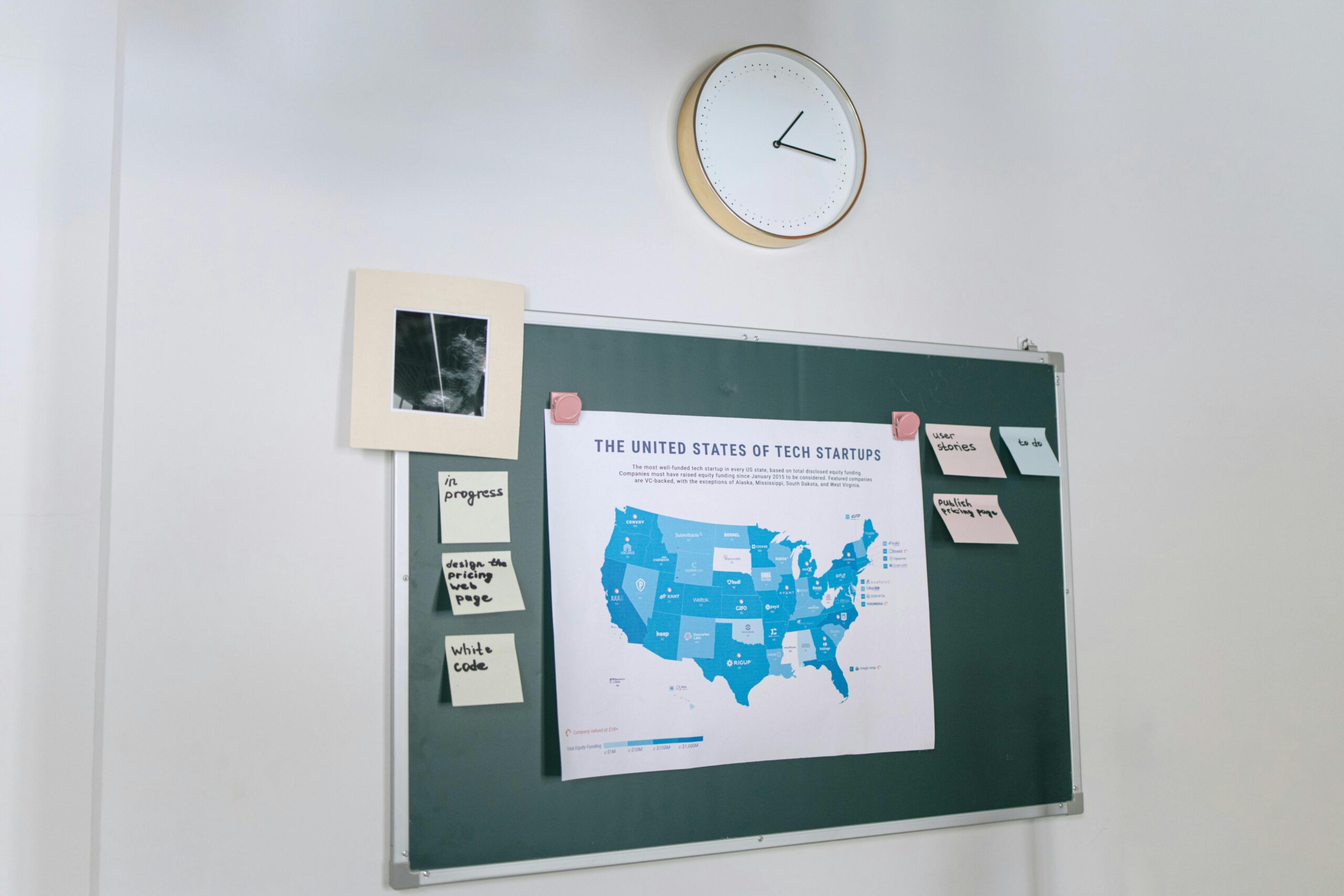
Despite digital dominance, physical tracking boards and templates retain distinct advantages. The tactile experience of moving sticky notes across a board or checking off completed items creates stronger psychological satisfaction than clicking a button. Physical visibility—a board on your wall rather than hidden in an app—provides constant awareness of your workload and progress.
Physical systems also eliminate digital distractions. When you check your task list in an app, notifications and other features compete for attention. A paper template offers focused information without competing stimuli.
Hybrid Approaches
Many productivity experts advocate combining both approaches, using physical templates for immediate, visible tasks while maintaining digital systems for comprehensive tracking, archiving, and collaboration. This hybrid model leverages the strengths of each medium while compensating for their respective limitations.
🎨 Customizing Templates for Maximum Effectiveness
Generic templates provide starting points, but customization transforms them into powerful personal productivity tools. Tailoring your status tracking system to your specific work style, industry requirements, and personal preferences dramatically increases adoption and effectiveness.
Consider your visual preferences when designing or selecting templates. Some people think spatially and benefit from kanban-style boards with columns. Others prefer list formats with status indicators as fields. Still others think hierarchically and need nested structures showing relationships between projects and tasks.
Adapt terminology to match your context. Instead of generic “To Do” and “Done,” use language that resonates with your work. A content creator might use “Idea,” “Drafting,” “Editing,” “Published.” A sales professional might track “Lead,” “Contacted,” “Proposal Sent,” “Closed.” Industry-appropriate language makes the system feel more natural and intuitive.
Add custom fields that capture information you actually reference when making decisions. If budget matters for prioritization, include a cost estimate field. If tasks relate to specific clients, add a client name field. Every field should serve a purpose—resist the temptation to track information “just in case” as this creates unnecessary complexity.
👥 Status Tracking for Teams and Collaboration
When multiple people work together, status tracking becomes exponentially more valuable—and more challenging. Effective team-based tracking requires agreement on standards, clear communication protocols, and regular synchronization.
Establish team conventions for how and when statuses get updated. Will team members update their own task statuses, or will a project coordinator handle updates? How quickly should status changes be reflected? What level of detail belongs in status updates versus separate communication channels? Answering these questions upfront prevents confusion and inconsistency.
Use status tracking as a foundation for team meetings rather than a replacement for human communication. Start standup meetings by reviewing the status board together, with each person explaining their current work and any blockers. This shared context makes conversations more productive and ensures everyone understands the overall project state.
Respect different working styles within collaborative systems. Some team members update statuses continuously throughout the day, while others prefer batch updates. Some add extensive notes, while others keep comments minimal. As long as essential information flows reliably, allow flexibility in how individuals interact with shared tracking systems.
📈 Measuring Success and Iterating Your System
The ultimate test of any status tracking system is whether it actually improves your productivity and reduces stress. Regular evaluation and adjustment keep your templates aligned with evolving needs.
Track metrics that reveal system effectiveness. Are you completing more tasks than before implementing status tracking? Are fewer items falling through the cracks? Do you feel more in control of your workload? Are projects finishing on schedule more consistently? These outcomes indicate whether your tracking system delivers real value.
Pay attention to friction points in your current system. If you consistently avoid updating certain fields, they’re probably unnecessary. If you frequently need information that isn’t captured, add relevant fields. If certain status categories rarely contain tasks, consider eliminating them. Your template should evolve based on actual usage patterns.
Experiment with modifications systematically rather than constantly changing things. Try one adjustment at a time for at least two weeks before evaluating its impact. This disciplined approach distinguishes genuinely useful improvements from changes that merely feel novel temporarily.
🌟 Transforming Productivity Through Consistent Practice
Status tracking templates are not magic solutions that automatically create organization—they’re tools that amplify disciplined practice. The transformation from chaos to clarity requires commitment to consistently using your chosen system even when motivation wanes.
Start small if comprehensive tracking feels overwhelming. Begin with just work tasks, excluding personal errands. Or track only projects, not individual tasks. As the habit strengthens and value becomes apparent, gradually expand the scope of what you track.
Celebrate progress visibly within your tracking system. When you move that final task to “Done” and complete a project, acknowledge the achievement. Some people keep archives of completed work as motivational evidence of productivity. Others maintain running counts of tasks completed. Find ways to make your tracking system a source of positive reinforcement rather than just administrative burden.
Remember that perfect tracking isn’t the goal—useful tracking is. Your system doesn’t need to capture every detail or follow anyone else’s methodology. It needs to help you see what matters, make better decisions about where to focus energy, and maintain momentum toward your goals. If your current template does that, it’s working regardless of how simple or elaborate it might be.
🔄 Making Status Tracking Second Nature
The ultimate achievement in status tracking is reaching a point where it feels effortless—where updating your system becomes as automatic as checking email or making coffee. This integration into habitual workflow marks the transition from using a productivity tool to embodying productive practices.
Link status tracking to existing triggers in your routine. Always review your tracking board before starting work. Update task statuses immediately after completing work sessions. Process new tasks into your system as soon as they arise rather than accumulating them mentally. These if-then patterns create automatic behaviors that require minimal conscious effort.
The journey from scattered to streamlined, from overwhelmed to organized, begins with a simple decision to track status systematically. Whether you choose elaborate project management software or a basic three-column template on paper, the act of making work visible and tracking its progression through defined stages creates the foundation for sustainable productivity.
As you implement status tracking templates in your workflow, remember that the system serves you—you don’t serve the system. Adjust, simplify, or elaborate as needed to create a tracking approach that genuinely enhances your ability to move from “To Do” to “Done” with confidence, clarity, and consistent achievement. Your more organized, more productive future is just one status update away.